
Order verifications: Designing for the users, not the technology
The Brief
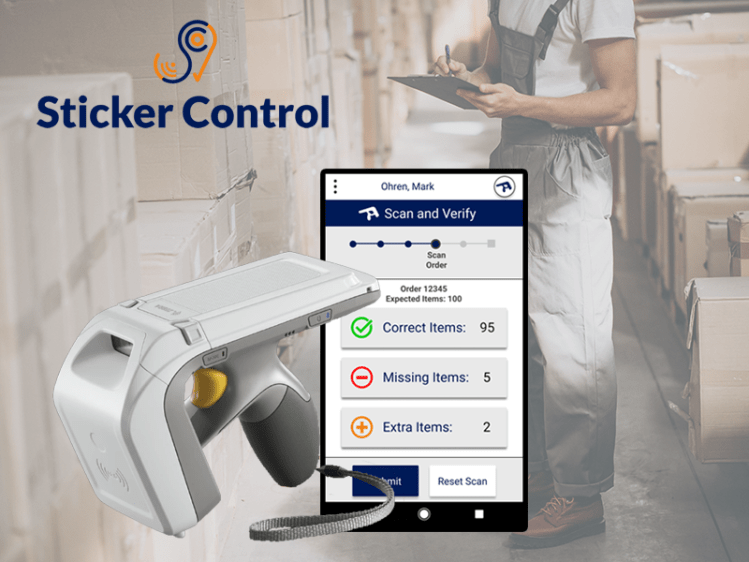
Sticker Control is a company that designs RFID tag systems for monitoring and tracking inventory items. Currently, one of the biggest uses of their system is for verifying the contents of orders in warehouses before shipment. However, because of the limits of RFID technology, many of their clients are complaining of problems with the service. They need help reducing these problems. But because they have clients that operate in a wide range of physical spaces and in within many different industries (clothing, stationary, autoparts, etc.), the solution must be generalized enough to work with all of their clients.
Companies

My Role
UX Designer
Project Manager
Location
Madrid, Spain
The Research
1. The Company

We started by researching the company. What was their mission? What exactly were they selling and how were they selling it?
2. The System
The RFID Tags and the Reader
After interviews with the company, we were able to acquire some RFID stickers and a reader. We started to read about the technology online and to also test it ourselves to see its capabilities and limits?
The App
The company gave us login access to the APP so we were also able to do some usability testing and heuristic analysis.
3. The Clients

The Companies
After understanding Sticker Control and their product, we got a list of clients and began doing research and interviews. What type of companies were they, what was their objective, and how are they currently using Sticker Control’s system?
User’s, Spaces, Workflows
Because we knew that our solution had to work for all companies and in all types of spaces, we wanted to get an overview of all the different ways in which the system was being used. Who were the users and what was their job within the company? Where were they using the system and what was their current workflow?
Analysis and Definition
1. User Personas

After all our Research, we created Juanma to represent the standard user. Juanma has worked in the same warehouse for 5 years. He is responsible for filling orders and verifying their contents before they are shipped. This new technology has very much interrupted his workflow and he is not happy with all the new problems that he must now deal with.
2. Journey Map and the limits of the technology

The Tags and the Reader
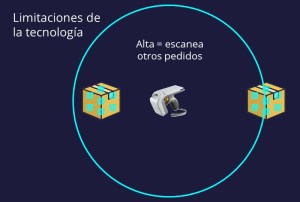
One of the biggest problems is that the RFID reader emits a sphere and reads in all directions at once.
If there are other orders within the scanner’s circumference, those their contents will be scanned as well. Juanman can avoid this by reducing the power of the scanner, but then he might not read all the contents of his desired order.
Because we know that we cannot design every possible space and distance within all the possible warehouses, we knew our solution must deal with the calibration of the scanner’s power.
The APP
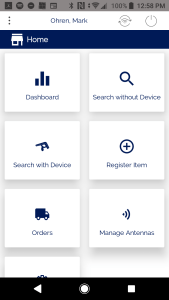
The first problem we noticed with the App is that it has a lot of functionalities that Juanma will probably never use. All of the functionalities for all the possible roles are mixed together
Furthermore, a huge problem is the fact that it is currently impossible to change the scanners settings without leaving the process and losing all your progress.
3. The Real Problem
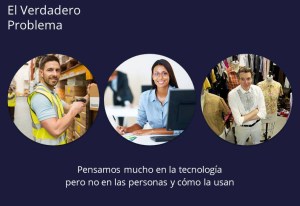
In the end, we identified the real problem: In most industries, products are often designed based on the technology and the business model, and not based on the needs of the actual users.
The Solution
Design a proecess specifically for Juanma!
After creating the journey map and understanding quite well about Juanma’s role and his workflow, we decided to redesign the product/system specifically for him.
The Prototype and Flow
1. Functionality for Juanma’s specific workflow
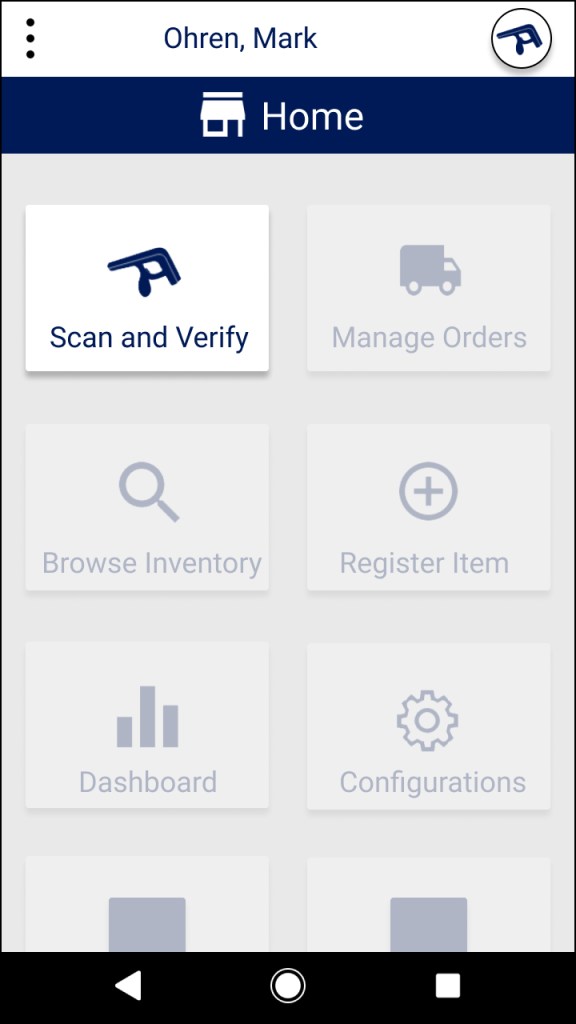
The first part of our design is a simple button that leads directly to Junma’s functionality. The language is clear. If Juanma needs to scan and verify an order, he must simply press “Scan and Verify”
Based on account types, companies would be able to specify who sees this button.
2. Identifying the order

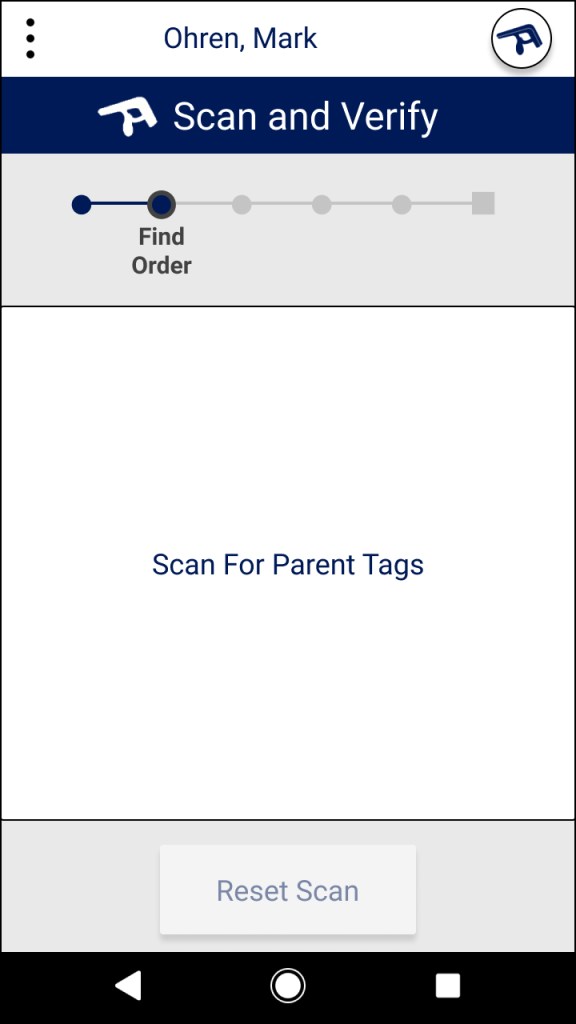
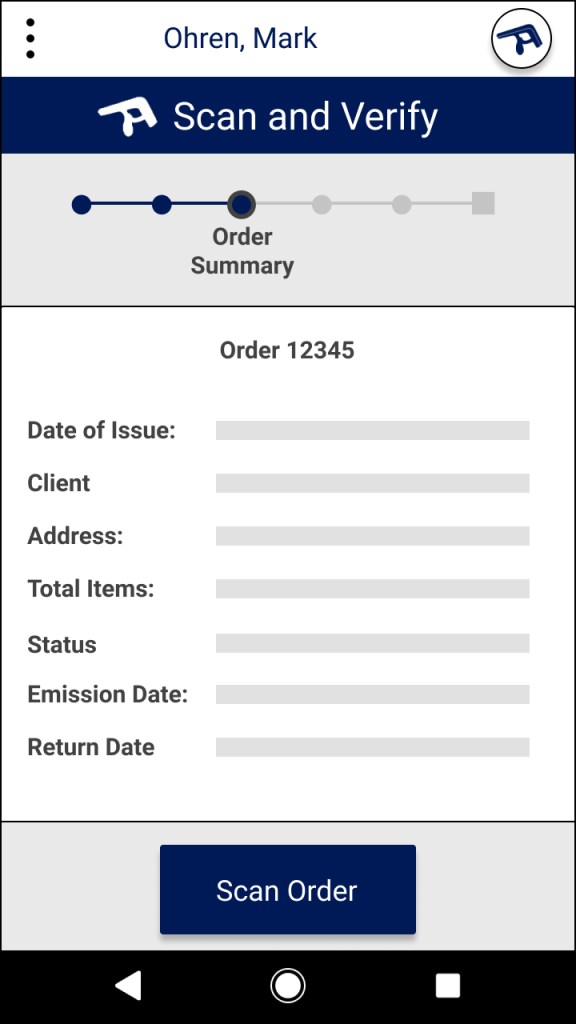
After pressing the button, a simple guided process is started. Juanma can search and select the order from a list of all orders.
Or if the company chooses, they can create a system with “parent” and “child” orders. If each order has a parent ticket, all Juanma has to do is scan the room to view and select from the orders that are nearby.
3. Scanning the order and adjusting the reader strength

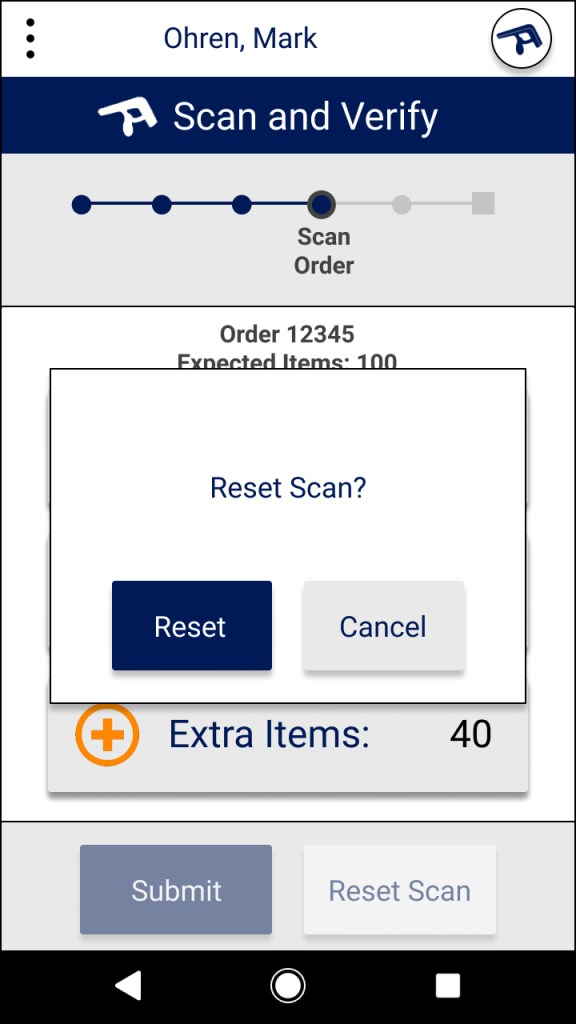
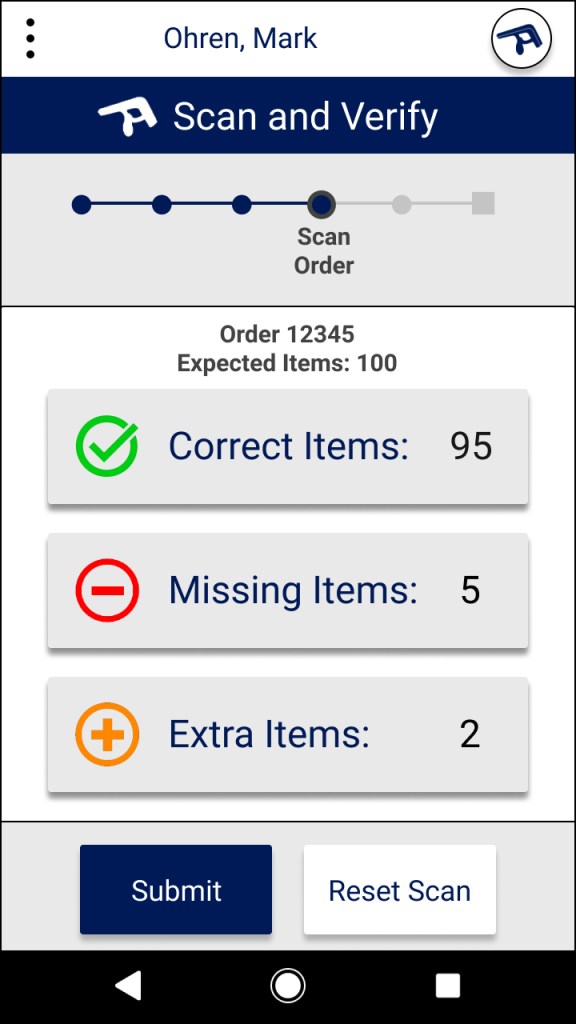
After selecting the order and scanning it, Juanma see’s a simple summary. He can easily see which items are correct, which are missing, and any extra items that were mistakenly scanned.
If Juanma sees any peculiarities in the contents, he can easily change the scanner’s power at any moment without leaving the process.
4. Viewing and adding items
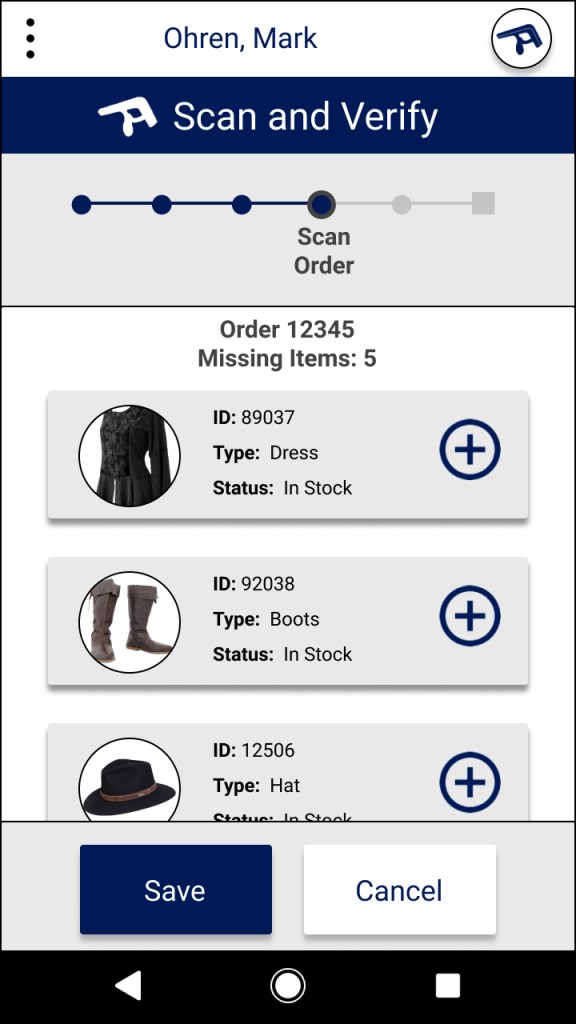
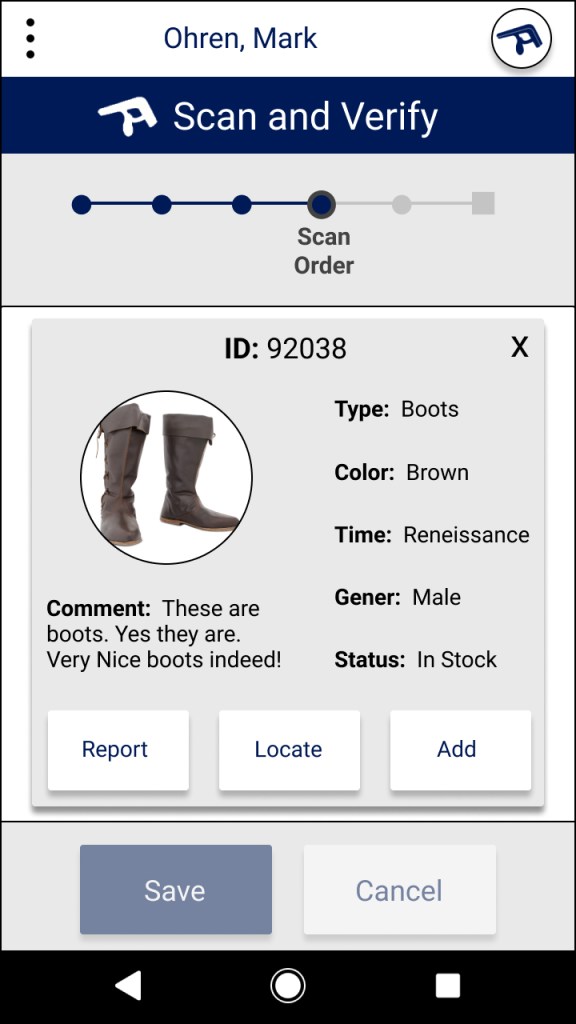
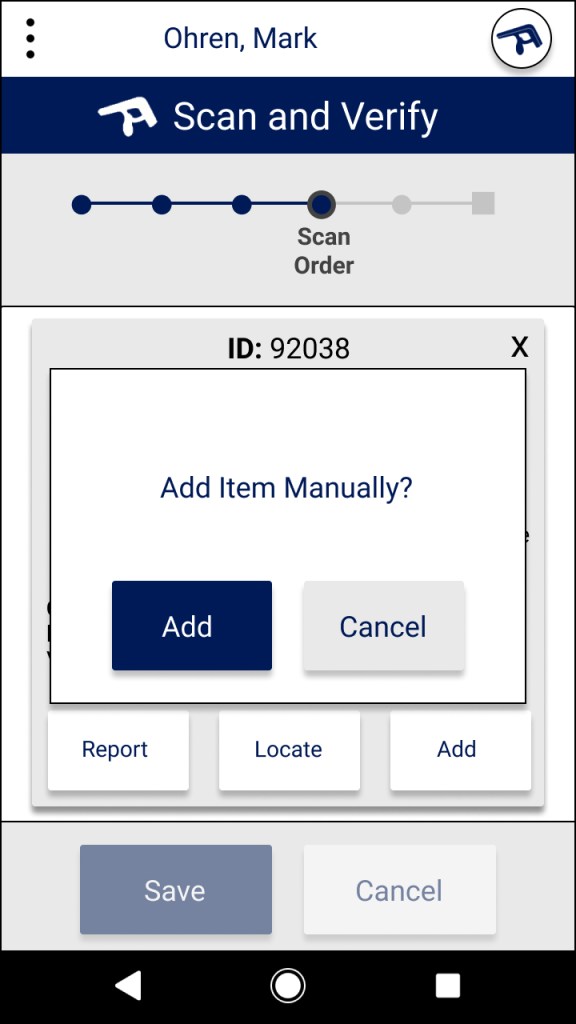
If any items are missing, Juanma can easily add them manually. If he is not sure, he can open a small window with photo and information.
5. Locating and reporting items
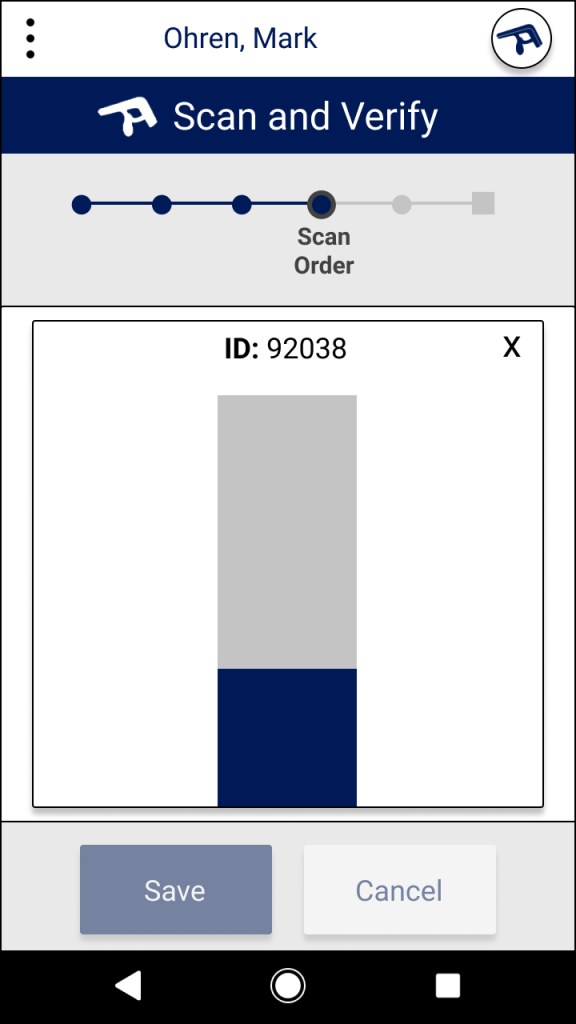
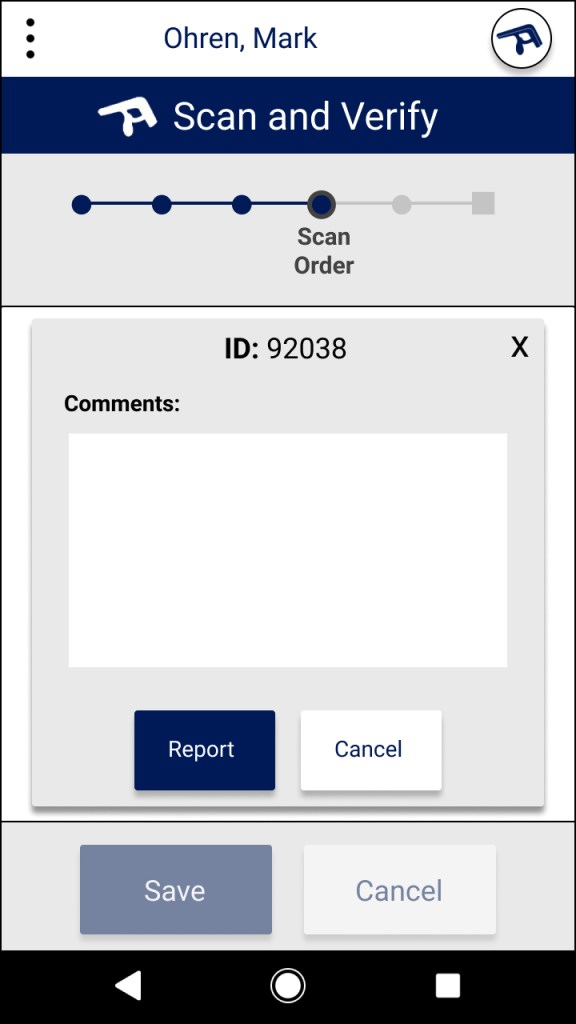
Based on our research, we learned that the scanner is capable of physically locating specific RFID tags. We added a functionality to locate missing items based on their tag. The scanner beeps faster as you get closer to the tag.
If there is any problem with the item or its tag, we’ve also added a functionality for submitting reports.
7. Revising and confirming the order
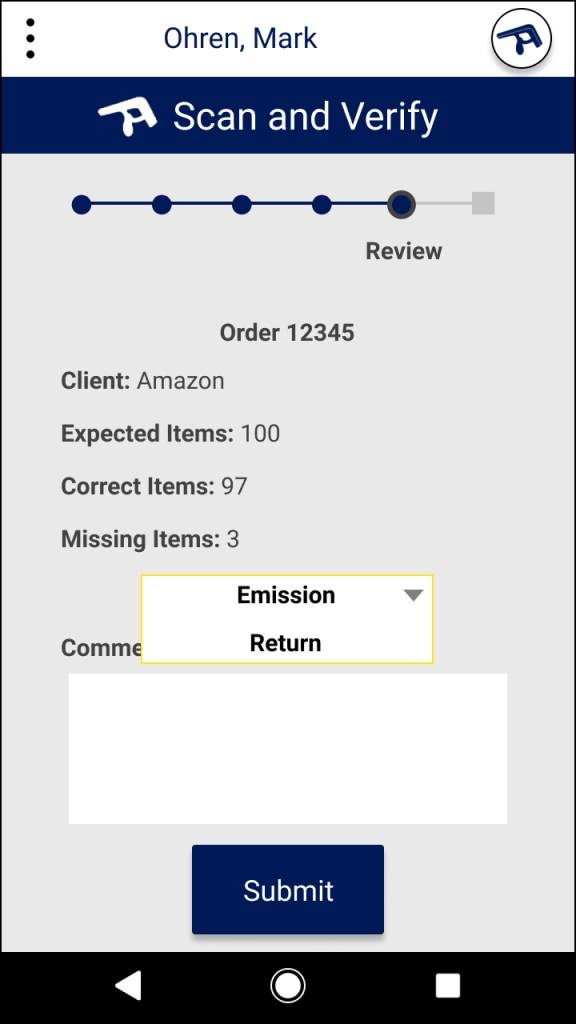
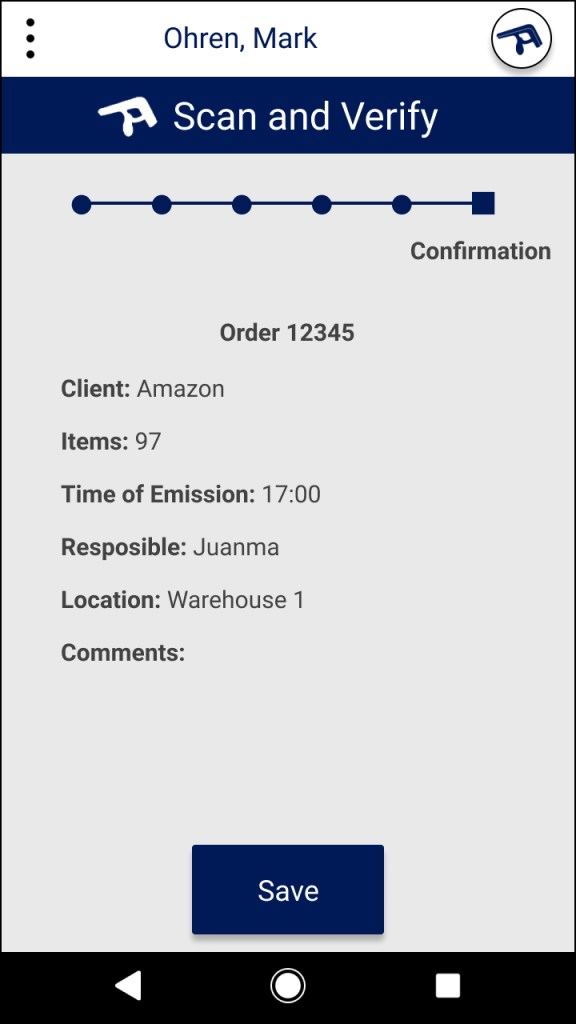
Before submitting, orders can be reviewed and details specified
After submitting, the order is saved along with information about the contents, time, and the person who submitted it.
Reflections
Value for clients

Faster Workflow
With Sticker Control’s current system, the process can take a long time depending on the number of problems encountered. Trouble shooting takes up a lot of valuable work time. With our system, workers are quickly led through a guided process.
Error Correction
Our new design allows for fast error correction. The scanner power can be changed at any moment. Items can be quickly added manually. And items can be physically located and reports.
Easy To Learn
All of the orders can be submitted and monitored by anyone with administrators permissions. They will be able to review all orders submitted.
Future Steps

More User Testing
Because this was a design consulting project with the aim of proposing design changes, we were only able to do some basic rounds of testing. If the project were to continue, we would like to do in-depth usability testing with the new design and iterate
Expansion
Based on the brief, we have designed a process specifically to solve problems for one specific role within the organization. If the client would like to continue, we would like to research and design functionalities for the other roles in the process as well.
Personal Learnings

Designing B2B products
When designing B2B products, we must think not only about the company and product as a whole. But we need to research and design for all of the employs. We need to understand their roles, their objectives, and their workflow.
Workplace technologies
Any digital solution that is to be introduced into a workplace must take into account the current workflow. If not, it will be met with great resistance and could possible fail altogether. The more the solution takes into account the current processes of the company, the more smoothly it will integrate.
 Mark Ohren